
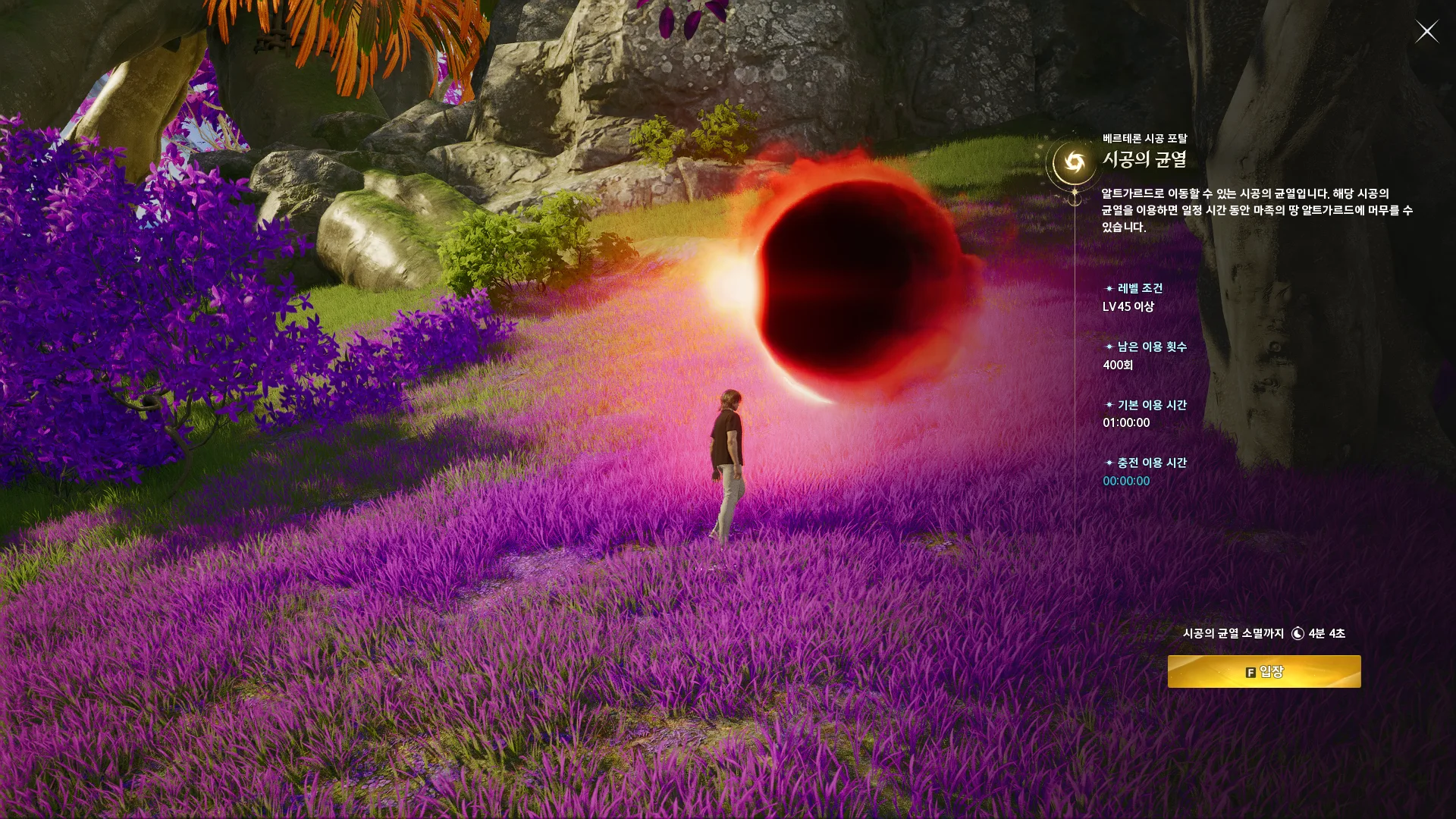
NCSOFT’s Taiwan guide shows this entry screen in Korean. Use it to recognize the interface; its sample values are not live availability.
Official rift guide · © NCSOFTCompare the selected region first
When the countdown reaches an opening but the portal is missing, start with a simple comparison: does the timer region match the region you play? Taiwan and Korea use the same local opening hours in this tool, but their time zones are one hour apart. Selecting the wrong region can therefore look plausible until you compare the actual server clock. Your physical country is not the setting to use if you play on a different region.
Check the displayed server time and UTC instant, then compare them with the current in-game information. If your browser countdown appears obviously wrong, confirm that your device uses automatic date and time and the correct local time zone. A browser can calculate a recurring schedule correctly while relying on an inaccurate device clock. Refresh the page after correcting a substantial clock error.
Confirm the activity and entry window
The timer follows the regular spacetime rift. A separate activity such as Rift Domination should be checked against its own notice rather than treated as proof that the regular cycle changed. Look at the name and context of the announcement you are following. Advice from a guide or community post may concern another activity, another region, or an older version of the game.
For Taiwan, the official portal entry window is 15 minutes. Arriving after that period can explain why a portal is no longer available for entry, even if you remember seeing the countdown reach zero earlier. This figure concerns the entry window, not the total duration of a stay after crossing. Korea’s entry duration is not verified in this tool, so do not diagnose a Korean portal using Taiwan’s 15-minute figure.
Look for maintenance or a newer rule
Check current regional maintenance notices and the game’s own messages before assuming a recurring schedule applies without interruption. An emergency maintenance period, a patch, or a temporary announcement can override a normal cycle. The timer has no live server-status feed and cannot observe an actual portal. Reaching zero means the calculated opening time has arrived, not that the game has confirmed a successful spawn.
Compare the source date with the notice you are reading. A newer regional announcement should take precedence over an older guide or community schedule. Keep the evidence level in mind: Taiwan has an official cycle rule, while Korea’s current timing is community-reported. Global has no verified schedule here. A precise countdown should never be used to fill a missing regional rule with a guess.
Record a useful mismatch
If the discrepancy continues, record the region, the opening date, the server time, the UTC time, and the name of the activity you expected. Add the relevant notice link and any information the game itself displayed. That record is more useful than a screenshot of a countdown without a region or date. Comparing more than one opening can also help distinguish a one-time interruption from an outdated recurring schedule.
This guide intentionally does not prescribe unverified coordinates, character levels, reward conditions, or access caps. Check those details in current regional game information instead of inferring them from the timer. Once you have ruled out the region, clock, activity, and entry-window mistakes, treat a documented notice or a repeated mismatch as a reason to review the schedule. Do not keep planning around an unexplained result simply because the next countdown looks consistent.
Check the next opening for your region, then confirm the in-game notice before you travel.
Open the rift timer →