
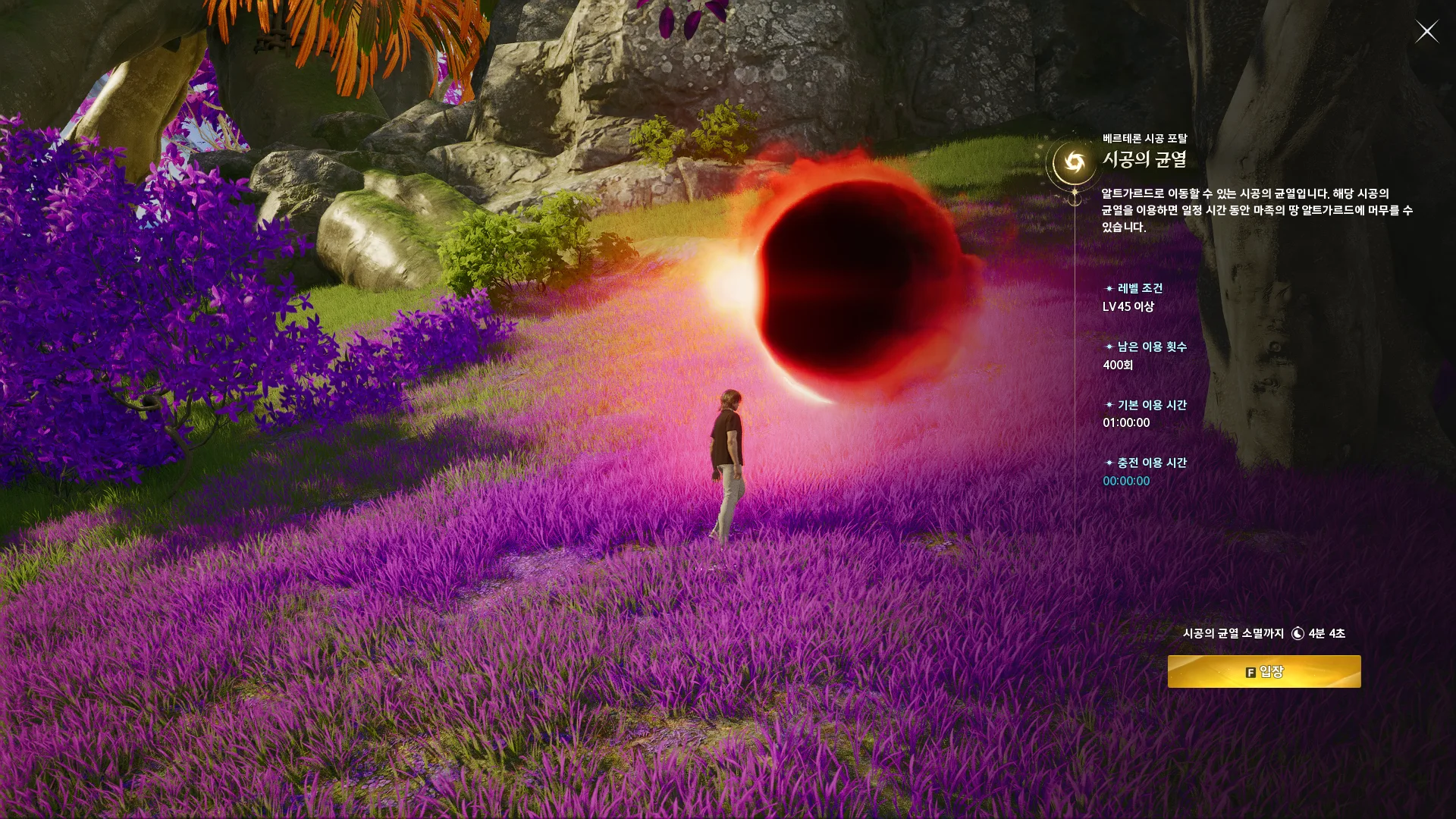
NCSOFT’s Taiwan guide shows this entry screen in Korean. Use it to recognize the interface; its sample values are not live availability.
Official rift guide · © NCSOFTStart with the regular portal
This guide covers the regular spacetime rift schedule used by the timer. It does not combine every activity containing the word rift into one timetable. Rift Domination and other named events should be checked against their own regional announcements. That distinction matters when you compare a calendar entry, a video, or a message from another player: the advice may describe a different activity even if the wording sounds familiar.
The timer is a planning aid based on a recurring cycle. It has no connection to your character or the game server, and it cannot check whether a portal has actually appeared. Begin by choosing the region you play, read the evidence label, and compare the next opening with current in-game information before making plans around it.
How the Taiwan cycle is calculated
The official Taiwan guide describes openings every three hours starting at 02:00. Repeating that interval within a day gives eight local times: 02:00, 05:00, 08:00, 11:00, 14:00, 17:00, 20:00, and 23:00. Those are Asia/Taipei times, UTC+8. The example list in the official guide omits 08:00, despite its stated three-hour rule. This site exposes that discrepancy rather than quietly claiming all eight times were explicitly listed.
The eight-opening schedule is presented as a calculation from the official cycle, with a linked community source supporting the missing example. That is enough to explain the timer’s model, but it is not a substitute for checking new notices. A patch or maintenance period can make a normal recurring timetable unsuitable for a particular session.
Read the entry window correctly
Taiwan’s official guide gives a 15-minute period during which the portal is available for entry. The timer uses that verified duration for Taiwan’s entry-window display. The window concerns entering through the portal; it does not establish the total time you may spend on the other side. Treating those two durations as interchangeable can lead to an incorrect plan even when you have selected the right opening.
For Korea, the current schedule evidence is community reporting for the eight opening hours in Asia/Seoul. The entry duration has not been verified here, so the tool provides a countdown without copying Taiwan’s 15-minute window into Korea. Any requirements, remaining time, or restrictions shown by the game should take precedence over assumptions made from another region.
Prepare for the next opening
Choose an opening from the upcoming list and compare its server, local, and UTC displays. Share the region-preserving link with your group so everyone starts from the same cycle. If you want a reminder, download the next-opening calendar event and set a reminder in your calendar application. The website itself does not run a background alarm once the page is closed.
Before the selected opening, check the current regional notice and any in-game instructions. Use the device-saved checklist to organize your own preparation, without assuming it confirms eligibility or a portal location. If the portal is missing, move through the troubleshooting guide: verify region and clock first, distinguish the intended activity next, and then investigate maintenance or a schedule change. This sequence avoids treating every failed crossing as a timer error.
Check the next opening for your region, then confirm the in-game notice before you travel.
Open the rift timer →